The NodeXL team from the Social Media Research Foundation has released a web application that allows users to upload network files and download files other users have uploaded. The Social Media Research Foundation is dedicated to Open Tools, Open Data, and Open Scholarship. The NodeXL Graph Gallery on the Web enables the research community to collectively gather […]
NodeXL Network Server Frequently Asked Questions The NodeXL team has released a new version (v.1.0.1.126) with better support for collecting data from social media network sources, starting with Twitter. The NodeXL Network Server program now ships in every NodeXL installation. Tony, the lead developer on the team, created the following FAQ to explain how to [...]
From this:to this: in just a few clicks. Many network graphs contain disconnected smaller graphs, called "components", within them. Most layout algorithms do a poor job of managing to group each component in a separate space. Instead, often, components are…
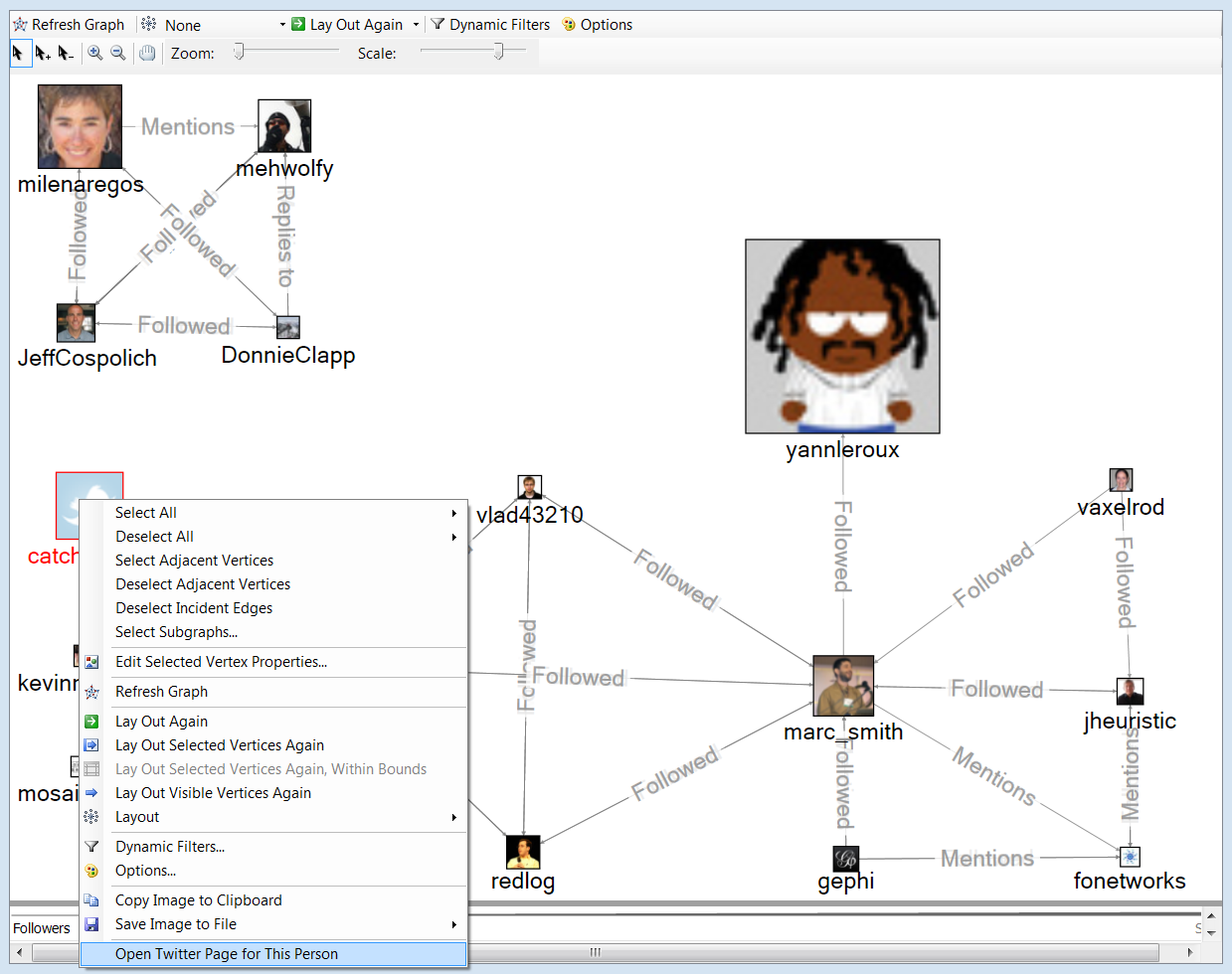
The right click menu is a source of many good things in NodeXL. In the graph pane, the right click menu contains several options of possible interest.
This is a map of the recent connections among twitter users who tweeted the string “NodeXL”. Each profile photo is scaled to the number of followers that person has. In this image one author node is right-clicked and reveals some useful options. Highlighted in the image is the option to open the twitter page for this person. Also of use is the Edit Selected Vertex Properties option where nodes can have their labels moved around (top, bottom, left, etc) and switched on and off in the graph.
Right-click features appear elsewhere in the application. It is worth poking at things with the right-click menu but we will be working on surfacing these options more clearing in forthcoming releases.
You can add your own right-click menus to your own networks by using the custom vertex menu option. Find out how after the jump.
In the latest releases (since v.1.0.1.117) NodeXL allows users to pan, zoom, and scale the network graph in a more refined way. These new control elements allow for the selection of a set of nodes (arrow), the addition of another…